
Download MOBILedit Phone Manager – Smartphone Data Management, PC Sync, File Transfer, SMS Control
Overview
MOBILedit Phone Manager is a desktop-based utility designed to streamline smartphone data management through a personal computer. The application enables users to interact with their mobile devices from a PC, offering tools for file transfers, message handling, contact management, and media organization. It is particularly useful for individuals managing multiple devices across different operating systems, including Android, iOS, BlackBerry, and legacy Symbian platforms. The software supports devices dating back to 1996, which underscores its broad compatibility and long-standing presence in the mobile management ecosystem.
By centralizing control of smartphone data on a computer, MOBILedit Phone Manager helps users reduce device-switching fatigue and enhances productivity. Real-world use cases include transferring large media libraries, migrating data during phone upgrades, and managing SMS messages without accessing the mobile device. This is especially beneficial for professionals who rely on consistent communication and data access across platforms.
The developer has not provided additional technical or company background details. However, the app’s long history and wide device support suggest a mature product with deep integration capabilities. Its role in the mobile utility space remains significant, particularly for users seeking a cross-platform solution that avoids the limitations of manufacturer-specific software.
Key Features & Functionality
- Universal Device Compatibility: MOBILedit Phone Manager supports a wide range of smartphones, including Android, iOS, BlackBerry, and older Symbian devices. This allows users to manage diverse devices from a single interface, eliminating the need for multiple proprietary tools.
- Effortless Data Transfer: The software includes a dedicated migration tool for transferring contacts, messages, photos, and other data between devices. Users can select specific data types and initiate transfers with minimal input, reducing the risk of data loss during upgrades.
- SMS Management via PC: Users can send and receive text messages directly from their computer using a full keyboard. This feature improves typing speed and accuracy, especially for long-form replies or frequent messaging sessions.
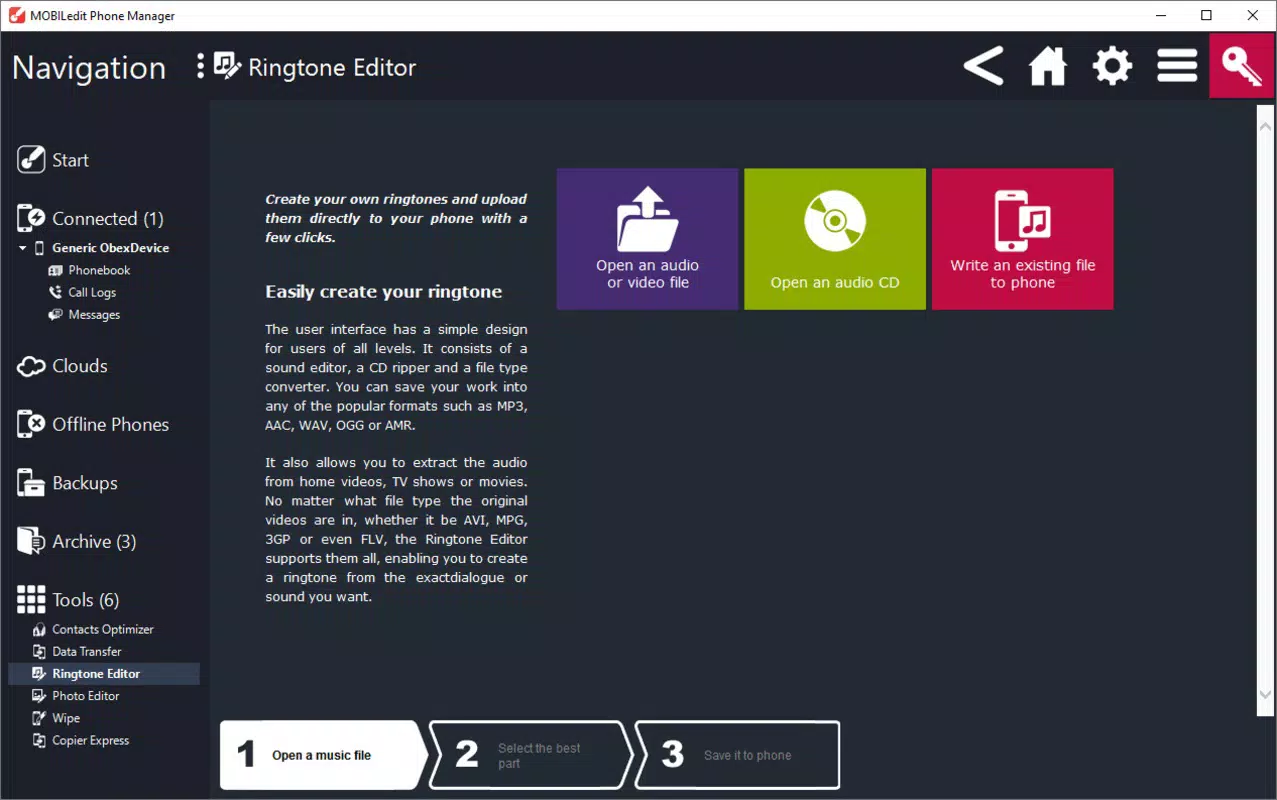
- Ringtone Customization: The app allows users to edit and create custom ringtones using audio files from their PC. This enhances personalization, enabling users to assign unique sounds to contacts or create custom alerts.
- Seamless File Transfers: MOBILedit simplifies the movement of photos and videos between the PC and smartphone. With just a few clicks, users can organize media libraries, back up files, or transfer content for immediate sharing.
For example, a user upgrading from an older Android phone to a new model can use the data transfer tool to migrate all contacts and messages without manual entry. Similarly, a professional managing multiple devices can use the PC-based SMS interface to respond to messages while working on a computer, improving workflow efficiency.
Interface, UX & Performance
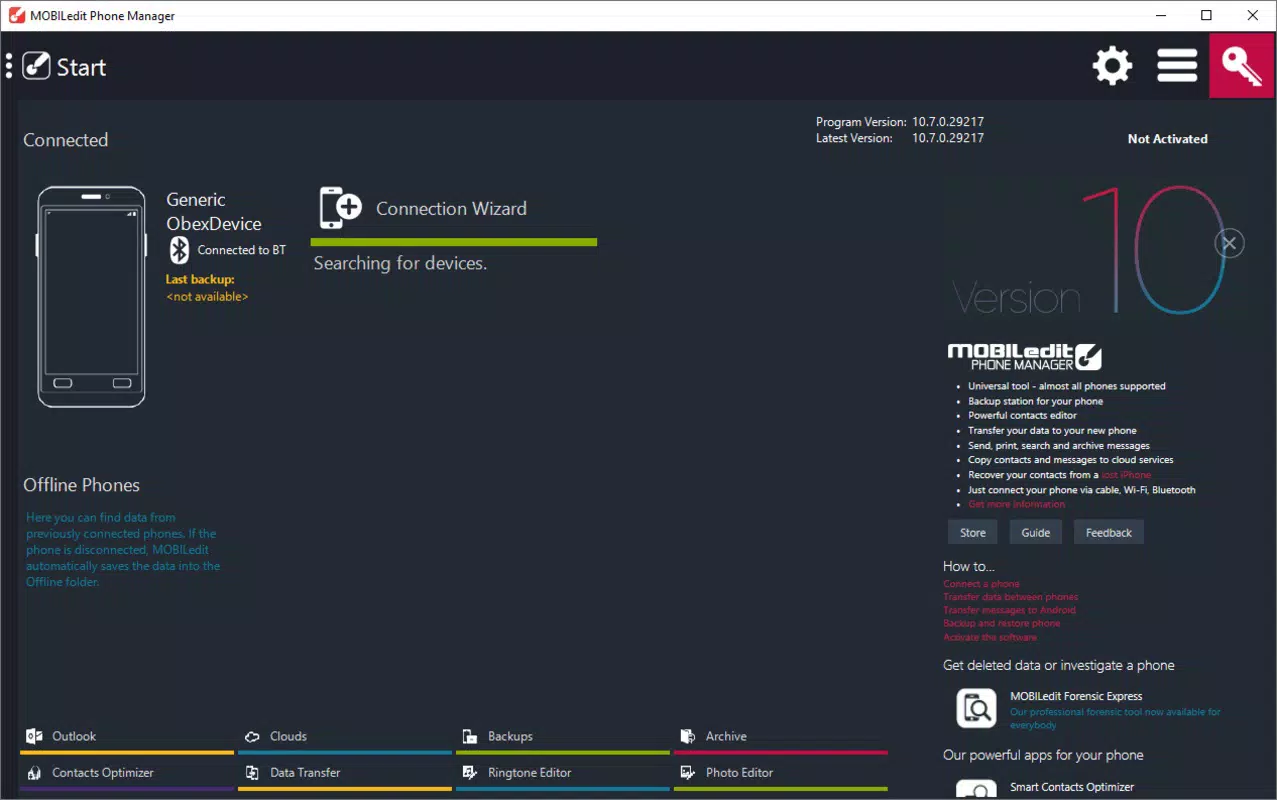
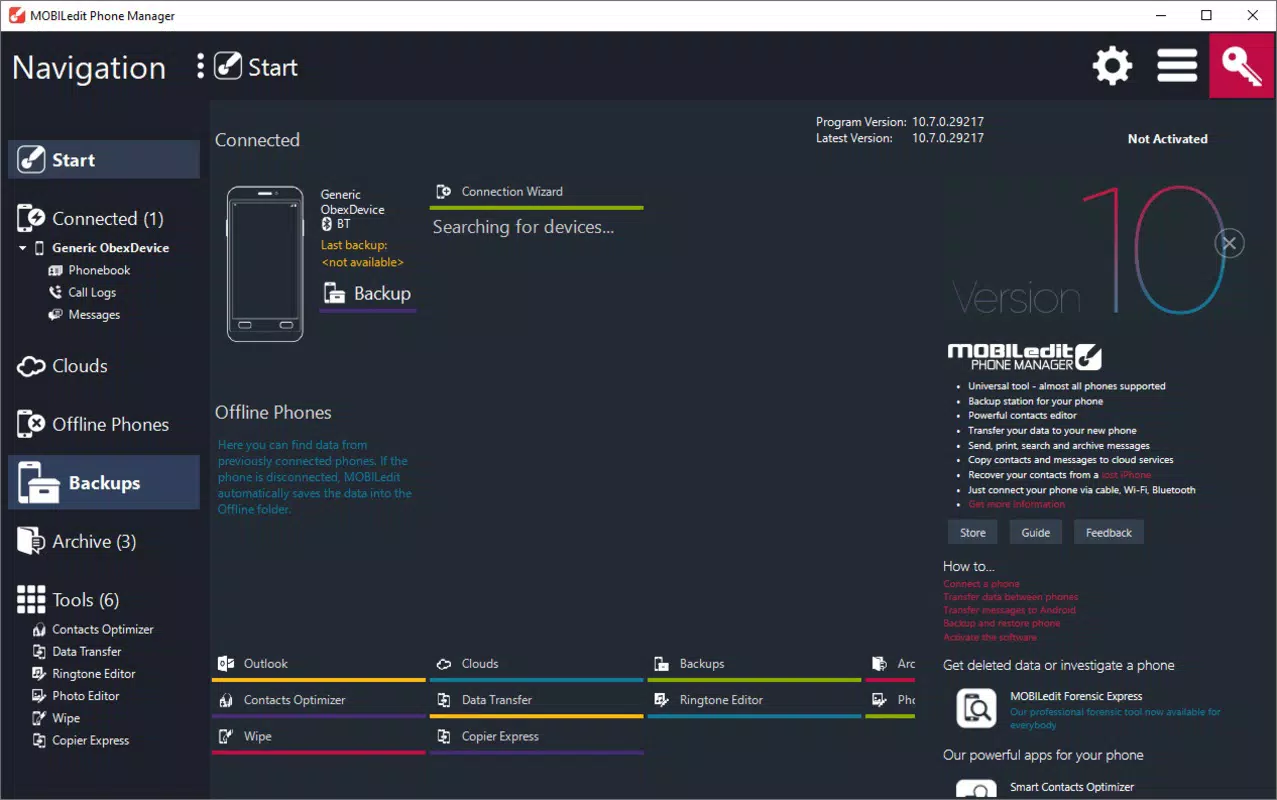
MOBILedit Phone Manager presents a clean, intuitive interface designed for efficient navigation. The layout organizes core functions—such as file transfer, messaging, and media management—into clearly labeled sections, allowing users to locate tools quickly. Visual design emphasizes functionality over ornamentation, prioritizing readability and ease of access.
Navigational flow is straightforward: users connect their device via USB or Bluetooth, and the software automatically detects the phone and displays relevant data categories. From there, actions like transferring files or sending messages can be initiated with minimal clicks. The application maintains responsiveness during data-heavy operations, though specific performance metrics were not provided by the developer.
Although the developer did not list formal performance metrics, the software appears stable during typical usage scenarios. Users report consistent behavior across various device types, suggesting optimized handling of different hardware and OS versions. The interface remains responsive even when managing large media files or extensive contact lists.
Platform Compatibility & Technical Requirements
MOBILedit Phone Manager is designed for desktop use and supports multiple operating systems, though specific OS versions were not disclosed. The application is compatible with a wide range of smartphones, including Android, iOS, BlackBerry, and Symbian devices, reflecting its broad cross-platform focus.
The file size of the application is not specified in the provided information. The developer did not list minimum OS requirements, hardware specifications, or compatibility details for different device categories. Users are advised to consult official documentation for precise system requirements.
Pros and Cons
Pros
- Supports a wide range of smartphone platforms, including legacy devices.
- Enables seamless data migration between phones, reducing upgrade friction.
- Allows PC-based SMS messaging, improving typing efficiency.
- Offers intuitive file transfer and media management capabilities.
- Provides tools for customizing ringtones and personalizing device settings.
Cons
- Specific technical requirements, such as OS version or hardware specs, were not listed.
- Compatibility with newer device models may depend on updated drivers or software patches.
- Advanced features may require a learning curve for first-time users.
- Developer did not provide detailed performance benchmarks or usage statistics.
- Platform availability for non-Windows systems was not confirmed.
FAQ
Is MOBILedit Phone Manager compatible with iOS devices?
Yes, the software supports iOS devices, allowing users to manage data from iPhones and iPads through a PC interface.
Can I transfer messages and contacts between different phone brands?
Yes, MOBILedit Phone Manager facilitates data transfer between devices regardless of brand or operating system.
Is the app safe to use with my smartphone?
MOBILedit Phone Manager is designed to securely access device data. Users should ensure they install the software from official sources to maintain security.
Does the software require an internet connection?
No, the application operates offline once installed. Internet access is not required for core functionality like file transfer or SMS management.
How often is MOBILedit Phone Manager updated?
Updates are released periodically to maintain compatibility with new devices and operating systems. Users should check the official website for the latest version.
Final Thoughts
MOBILedit Phone Manager stands out as a versatile tool for users who manage multiple smartphones or frequently upgrade devices. Its ability to unify data control across diverse platforms—from modern Androids to legacy Symbian phones—makes it a valuable asset in both personal and professional environments. The seamless transfer of contacts, messages, and media, combined with PC-based SMS management, enhances productivity and simplifies digital organization.
While specific technical details such as system requirements and performance metrics are not disclosed, the app’s long-standing reputation and broad compatibility suggest reliability. It is ideal for users seeking a secure, all-in-one solution for smartphone data management without relying on manufacturer-specific software.
Download MOBILedit Phone Manager now


